A Closer Look at Camino 8 and the Future of Real-Time Graphics
On a recent episode of The Daktronics Experience podcast, we sat down with Yanier Figueras, product designer for Camino 8, to discuss the latest evolution of Daktronics' real-time graphics platform. Here’s a highlight of the discussion.
Matt Anderson on 7/17/2026
Categories: Pro Sports and Colleges

As fans, we see the final result on the display. The stat graphics, player profiles, sponsor features and animated elements all appear at exactly the right moment. What we don't always see is the technology and workflows that make those moments possible.
As displays continue to grow in size and resolution, content teams face increasing pressure to create more dynamic graphics while also keeping up with the pace of live events. That's where real-time graphics engines like Camino are changing the game.
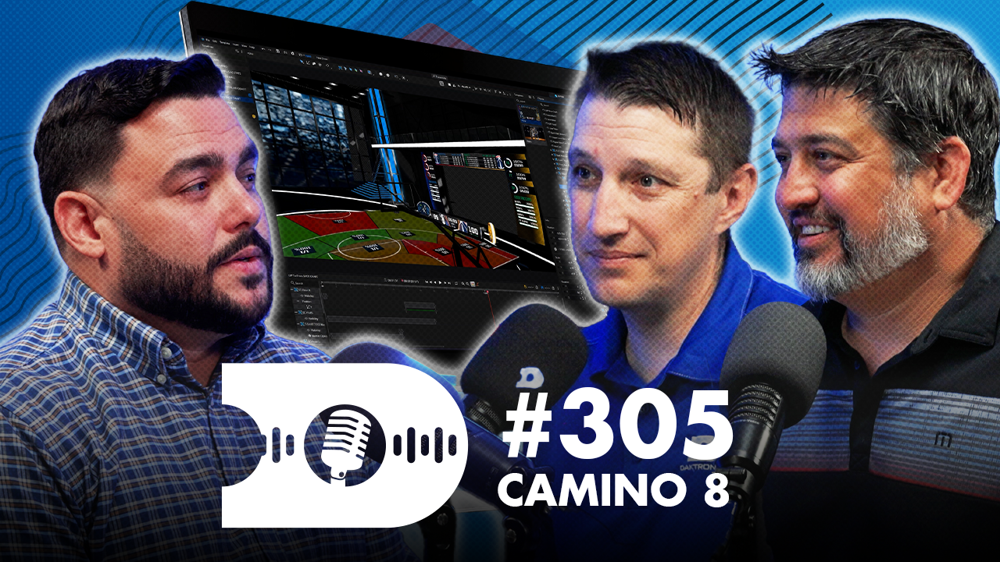
On a recent episode of The Daktronics Experience podcast, Justin Ochsner and I sat down with Yanier Figueras, product designer for Camino 8, to discuss the latest evolution of Daktronics' real-time graphics platform. From improving workflows and simplifying content creation to deeper integrations with Show Control and live data sources, our conversation offered a behind-the-scenes look at how Camino 8 is helping event producers tell better stories on game day.
From Motion Graphics to Product Design
Before helping shape the future of Camino, Yanier built his career in sports production. His background includes motion graphics, broadcast production, audio, video switching and even camera work. Over the years, he gained firsthand experience with many of the tools and workflows used to create live sports presentations.
"I did a little bit of everything," Yanier said when describing his time working in production trucks and sports broadcasting environments.
That experience has proven valuable while helping design Camino 8. Having worked with Camino as a user before joining Daktronics, Yanier spent years providing feedback and insight on how the platform could evolve to better support designers and operators.
What Is Camino?
At its core, Camino is Daktronics' real-time graphics rendering engine. It gives content creators and operators the ability to build dynamic graphics that can respond instantly to live events, changing data and Show Control commands.
"Camino is our real-time graphics rendering engine," Yanier explained. "What we've done here is take everything we've learned from the previous generations of Camino and improve on it."
For many years, graphics packages relied heavily on pre-rendered video files. While those workflows still have a place, today's displays demand more flexibility. Live data, animated elements and changing game situations require graphics systems that can adapt in real time.
"Now you can build all that natively inside Camino," Yanier said. "You can change it at any point in time and play it out through data, through a button or through a switcher call."
A great example is player statistics. Rather than building a graphic before the game and hoping the numbers remain relevant, operators can now pull live data directly into graphics and display the most up-to-date information available.
Built Around Customer Workflows
One of the biggest themes during our discussion was familiarity.
The Camino 8 team spent significant time talking with customers to understand how they use graphics software, what challenges they face and where opportunities exist to improve the experience.
"We started with the customer," Yanier said. "We're really trying to find out what their pain points are, what works and what doesn't."
Instead of forcing users to adopt entirely new methods, Camino 8 was designed to feel familiar to designers who already work in motion graphics and production environments.
"We're not trying to reinvent the wheel," he explained. "What we're trying to do is give them solutions that are very similar to what they're already used to."
That familiarity becomes especially important when graphics packages move through multiple stages of production. Designers create content, producers refine it and operators ultimately run it during live events.
"The same content is touched by multiple people," Yanier said. "What we're trying to do is clean up that handoff from one to the other."
Camino 8 introduces project-based workflows that help keep assets, animations and logic organized throughout the production process, improving collaboration from initial creation through game-day execution.
Balancing Simplicity and Power
Creating software that is both powerful and easy to use isn't easy.
According to Yanier, striking that balance has been one of the biggest design challenges throughout the Camino 8 project.
"This is probably the most difficult part about building a product like Camino, because they kind of pull in different directions. Simplicity and power."
Rather than sacrificing one for the other, the team focused on what Yanier calls "progressive depth."
"What you need to do will be visible immediately," he said. "But then for the advanced users when they want to create more complex animations, now they know where it is and it's a click away."
The goal is to help new users get started quickly while still giving experienced designers access to advanced tools and workflows when they need them.
This philosophy is especially important in the sports and live events industry, where operators often come from a wide range of backgrounds and experience levels. Whether someone is managing graphics for the first time or has years of production experience, Camino 8 is designed to meet them where they are.
A Stronger Connection to Show Control
Another major focus of Camino 8 is tighter integration with the broader Daktronics ecosystem.
"When we set out to redesign Camino, we had three priorities," Yanier said. "We wanted to improve the rendering technology, improve the user experience but also improve the integration with Display Studio."
That integration starts with data. Data Studio sources now connect directly into Camino, giving operators a streamlined way to associate live data feeds with graphics elements.
As Yanier described, users can drag and drop data sources directly onto object properties within Camino, creating powerful connections between live information and on-screen graphics.
Display Studio integration has also been expanded, making it easier for Show Control operators to trigger Camino graphics and adjust graphic properties from within their existing workflows.
Together, these enhancements help make graphics creation and playout more flexible while reducing the steps required to connect systems together.
Shaped by Customer and Internal Feedback
Customer feedback played a major role throughout the development process, but it wasn't the only source of insight.
One of the advantages Daktronics has is access to internal users, including trainers, application engineers and event producers who use the software regularly. Their feedback provides real-world validation before new features reach customer sites.
"We're pretty lucky that we have that internal group that we can always talk to and say, 'Hey, we put this feature out. Give it a try. Let us know what works and what doesn't work,'" Yanier said.
Those conversations continue after launch as customers begin implementing Camino 8 across a growing number of venues and applications.
Looking Ahead
As more organizations begin adopting Camino 8, Yanier encourages customers to think about implementation as a gradual process rather than attempting to overhaul everything at once.
"One step at a time," he advised. "Don't try to overhaul your entire graphics package at once."
Start with the workflows that consume the most time and build from there. As teams become more familiar with the platform, they can take advantage of additional features and capabilities.
At the same time, the Camino team is already looking toward the future.
Yanier's final message to customers and partners was a simple one:
"Keep the feedback coming."
That feedback continues to shape the platform and helps ensure that future updates address the needs of the people using it every day.
For organizations looking to create more dynamic graphics, integrate live data and streamline game-day workflows, Camino 8 represents another step forward in the evolution of live event storytelling.
Watch the Full Episode
Want to hear the full conversation with Yanier Figueras? In the episode, we take a deeper dive into the thinking behind Camino 8, explore real-world customer workflows and discuss how real-time graphics are helping organizations create more engaging experiences for their audiences.
Watch the full episode on YouTube here:
Be sure to subscribe to the Daktronics YouTube channel and The Daktronics Experience podcast for more conversations with the people, partners and technologies shaping the future of live event production.